Hisab Expert: Web & Admin
Public website and internal admin dashboard for Hisab Expert, built with Next.js and live at hisabexpert.com
Overview
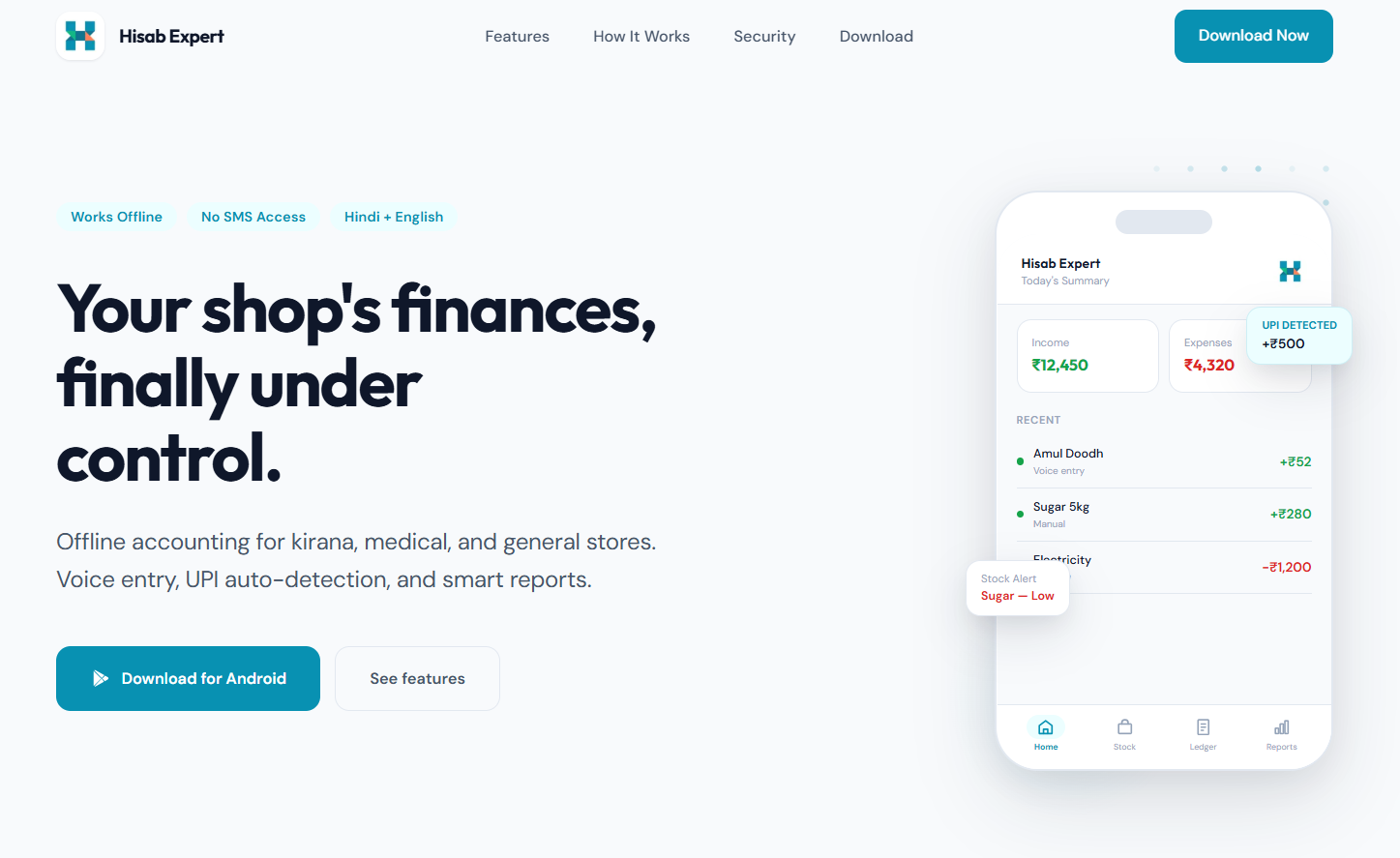
The web side of Hisab Expert is two separate products sharing one codebase. The public site is what a shopkeeper sees when they search for the app. It explains what Hisab Expert does, walks them through the features, and points them to the Play Store download. The admin panel is entirely separate, sitting behind authentication, and gives the internal team visibility into how the product is actually being used after it ships.
Tech Stack
After building the mobile app, there was no web presence to send people to and no way to understand what was happening inside the product once it was in users' hands. We needed a site that shopkeepers would trust on first visit, and a dashboard the team could open every morning to see real numbers.
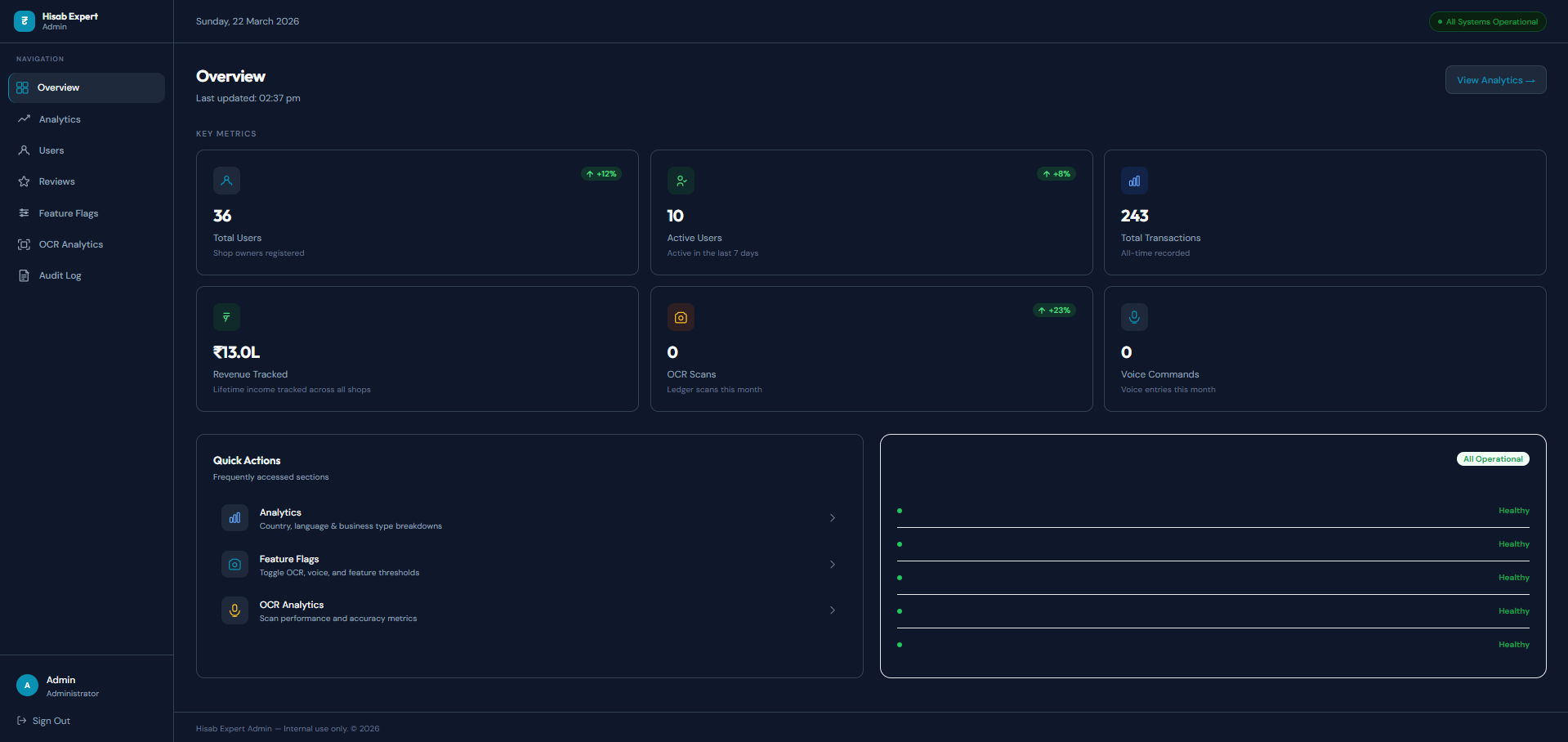
The marketing site is server-rendered with Next.js so it loads fast on budget Android phones with slow connections, which is the reality for most of our users. The admin panel was built with security first: bcrypt-hashed passwords, rate-limited login attempts, and TLS 1.3 on all traffic. It surfaces active users, total transactions recorded, OCR scans, and revenue tracked across shops, and flags anything that looks off.
Download Page
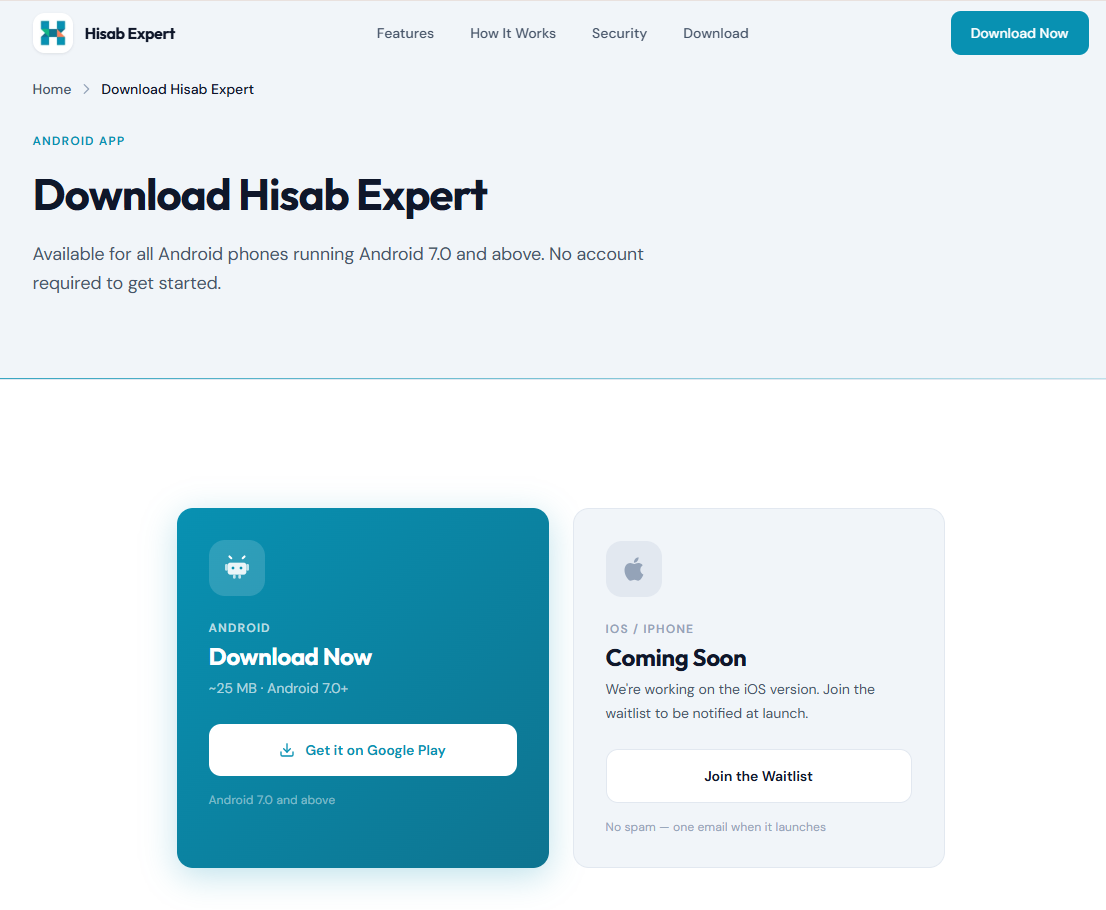
The download page is where most users first decide whether to install the app. It needed to be clear, load fast on a budget phone, and answer the only question that matters to a shopkeeper: does this work for my kind of shop?
Admin Dashboard
The admin panel is what the team opens every morning. It shows total users, active sessions, transactions recorded, OCR scans run, and revenue tracked, with a system health check on the side so we know immediately if anything needs attention.